Rotating Residential IP/Rotating Datacenter Proxy Introduction
Rotating Residential IP:
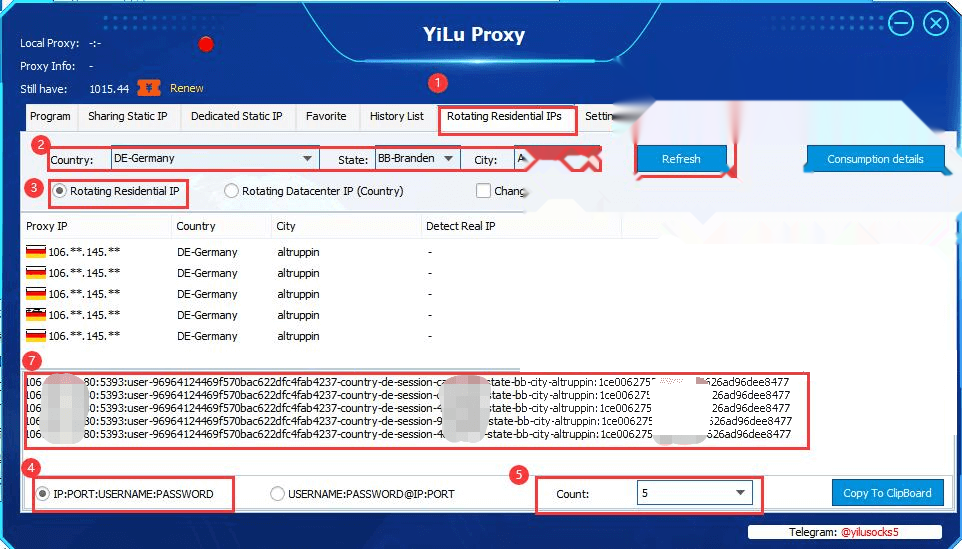
Click on the [Rotating Residential IP/Rotating Datacenter Proxy] in Yilu interface to enter the page, select Rotating Residential IP, select the desired country, select the desired state or city, select the desired number of generation in the lower right corner, click the [Refresh] button to get the corresponding IP. click "Copy to Clipboard" to copy the IP: Port: Username: Password to the clipboard.
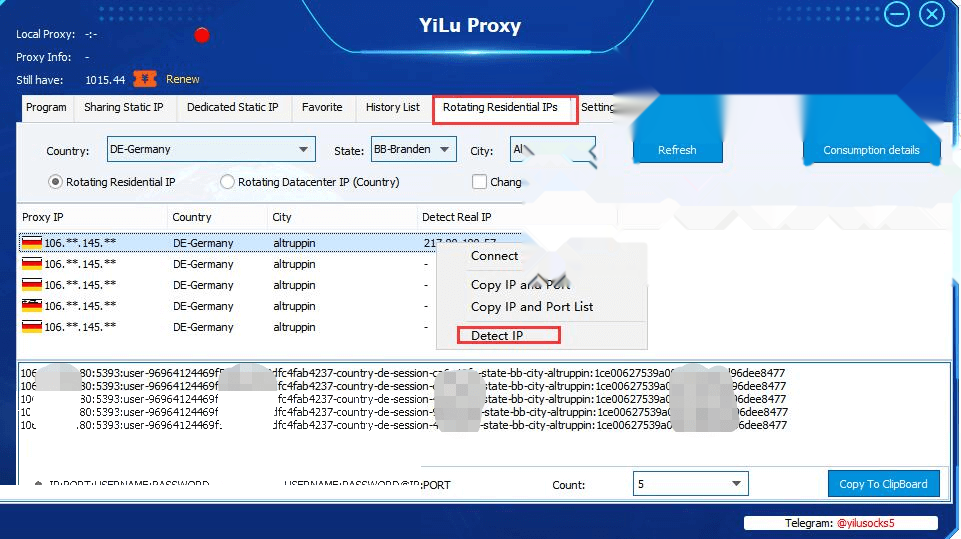
However, you may find that the proxies in the Proxy list are all the same. Please note that what you see here is our transit server IP, the IP you use is our export IP. Right-click "Detect IP", you will see the IP you want to use.
Rotating Datacenter Proxy:
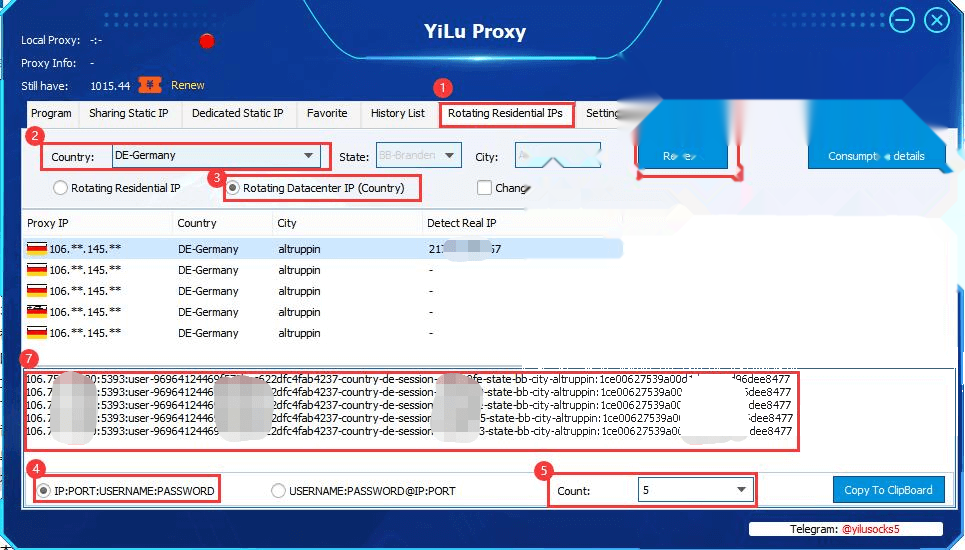
The Rotating Datacenter Proxy setting is similar to the Rotating Residential IP, the state and city cannot be selected for the geographic location.